Features

What AudioPen actually does

One promise, well executed: you talk, it writes. Here's the full feature set behind that — the same tools 200,000+ people use to draft emails, articles and meeting notes by speaking.

Capture: talk like nobody's transcribing

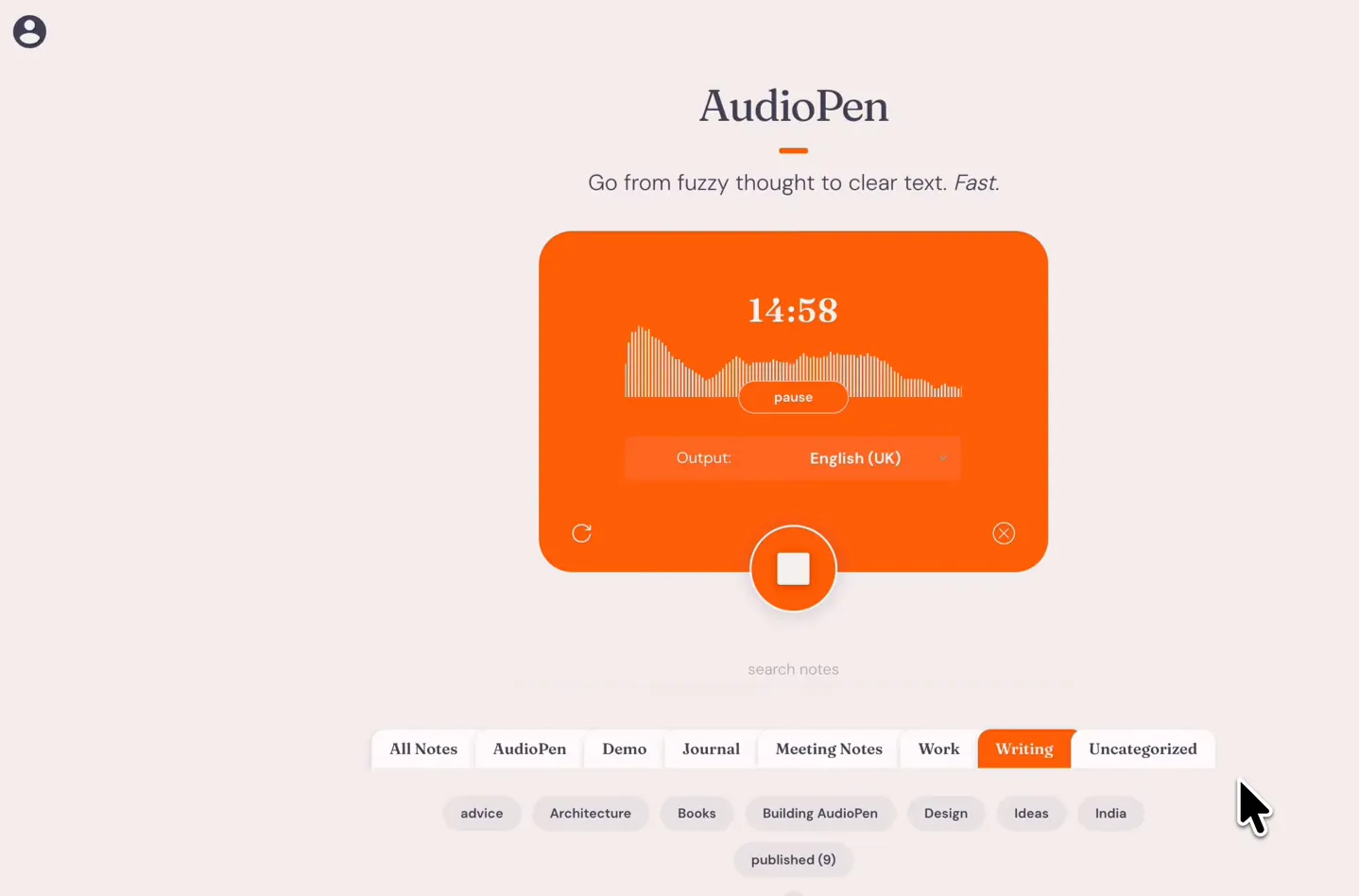
Record up to 15 minutes per note on Prime, straight from the web app, your phone, Apple Watch or the Chrome toolbar. Prime members can also upload existing recordings — up to 100 audio files every 4 weeks, 100 MB each — and have them turned into clean notes.
Writing: your words, your voice

Pick a preset style — summary, blog draft, journal entry, action list — or build custom styles, including one trained on samples of your own writing. Existing notes can be restyled any time, so one ramble can become a memo today and a post tomorrow.

Languages: speak one, write another

AudioPen understands most major languages and lets you set a different output language. Think out loud in your mother tongue on the way to work, and paste polished English into your team's docs two minutes later.

Organize: from scattered notes to one page

SuperSummaries merge several notes into a single structured summary — ideal for turning a week of ideas into one brief. Prime includes unlimited note storage, so nothing you said gets aged out.

Type with your voice, in any app

The iPhone and iPad keyboard, plus Voice Typing on Apple Silicon Macs (M1 and newer), put AudioPen inside every text field you use. Keyboard audio is processed on your device.

Automate: notes that go places

Zapier integrations and webhooks push every finished note into your own stack — task managers, docs, CRMs — with zero copy-paste. Text notes can be uploaded and processed too.

The AudioPen recording screen in the web app: live waveform, pause control and output language set to English (UK)
Recording in the web app — up to 15 minutes per note on Prime.
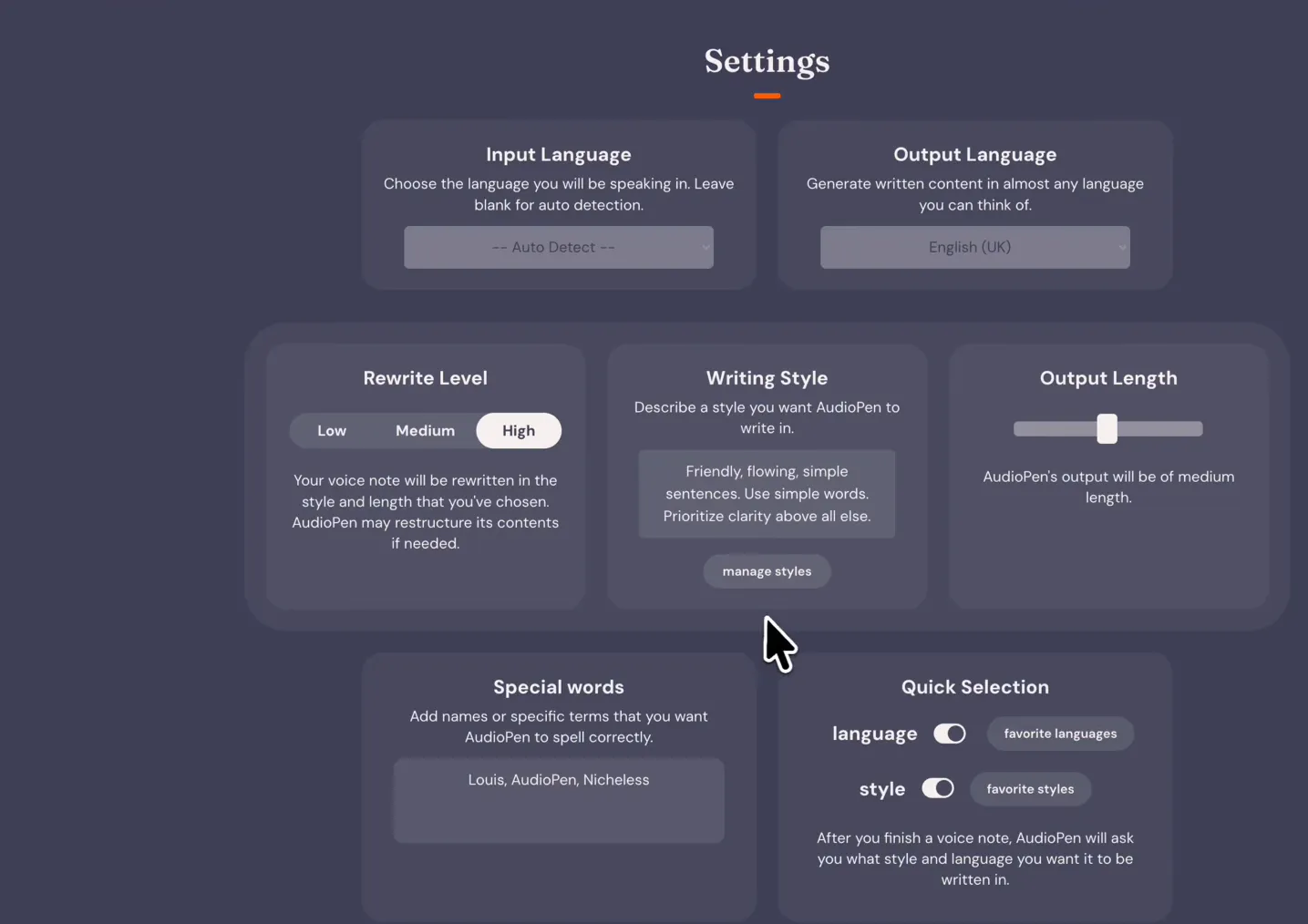
AudioPen settings: input language on auto-detect, output language selector, rewrite level and a custom writing style
Settings: rewrite level, output length, custom styles and special words.
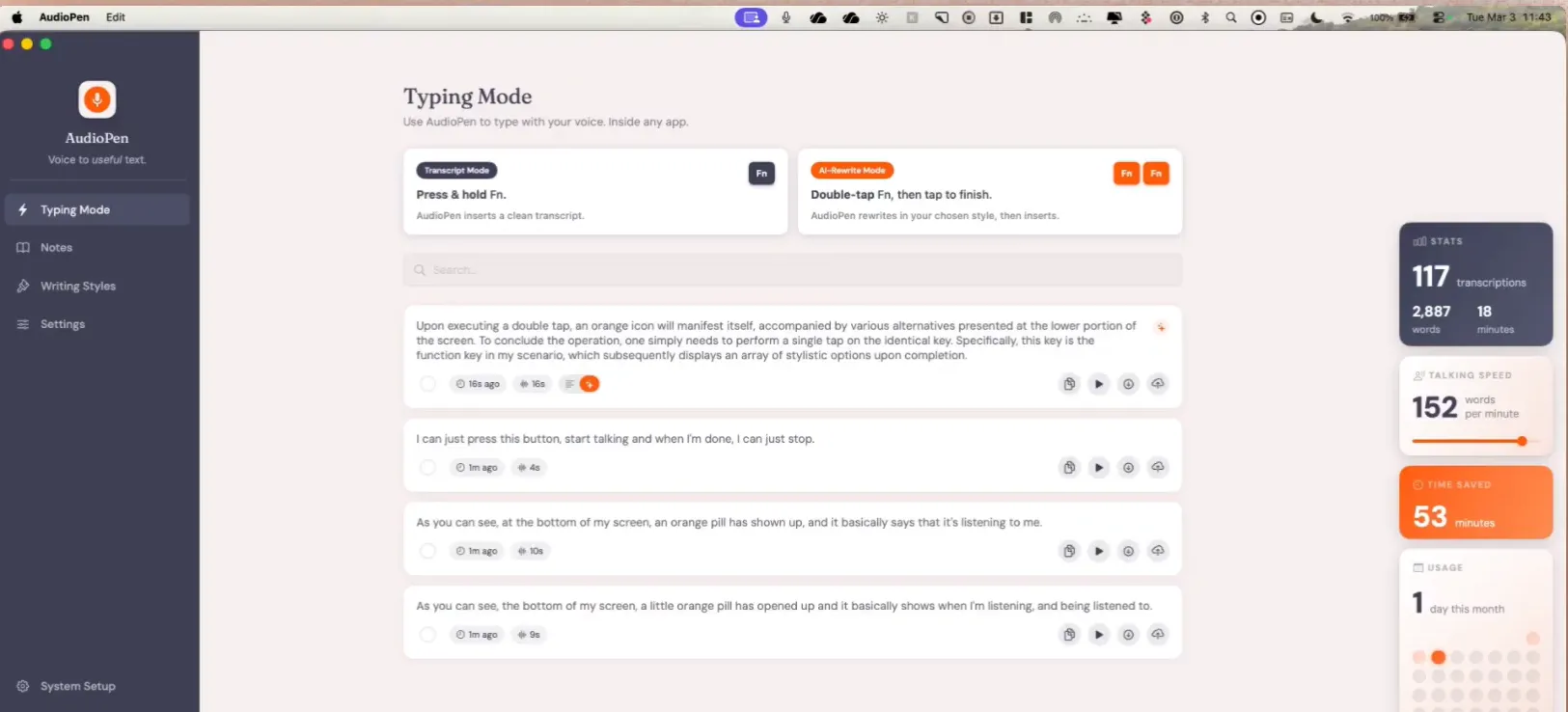
AudioPen for Mac in Typing Mode, showing press-and-hold transcript mode, AI-rewrite mode and a stats panel with words-per-minute
The Mac desktop app's Typing Mode: hold a hotkey to dictate into any text field.

Private by design

Voice recordings are auto-deleted from AudioPen's servers soon after processing, notes are encrypted at rest, and — in the team's own words — your data is "never used to train any AI." The iOS keyboard and Mac Voice Typing process audio locally, so that sound never leaves your device. The full details are in our FAQ.

Thinking it over?

The independent signal is consistent: AudioPen holds 4.7/5 (135 ratings on the App Store), was covered by TechCrunch at launch, and Fast Company and Product Hunt sit in the press strip on the official site. The free plan is the honest test drive — record one real note and read what comes back. Pricing details are on the pricing page.

Watch your words become writing

The fastest way to get it is to try it — your first polished note is only minutes away.